Add a supported post
Paste a public YouTube or TikTok URL. Pro also supports Instagram and Facebook content.
 Kenney Labs
Let’s talk
Kenney Labs
Let’s talk

Shopify app by Kenney Labs
Seen In UseLive and available for Shopify
Turn supported social posts into curated galleries linked to your products. Help your shoppers see how those products look and work in the real world, right on your storefront.
Start free. Upgrade when you need unlimited galleries, connected social feeds, and deeper customization.
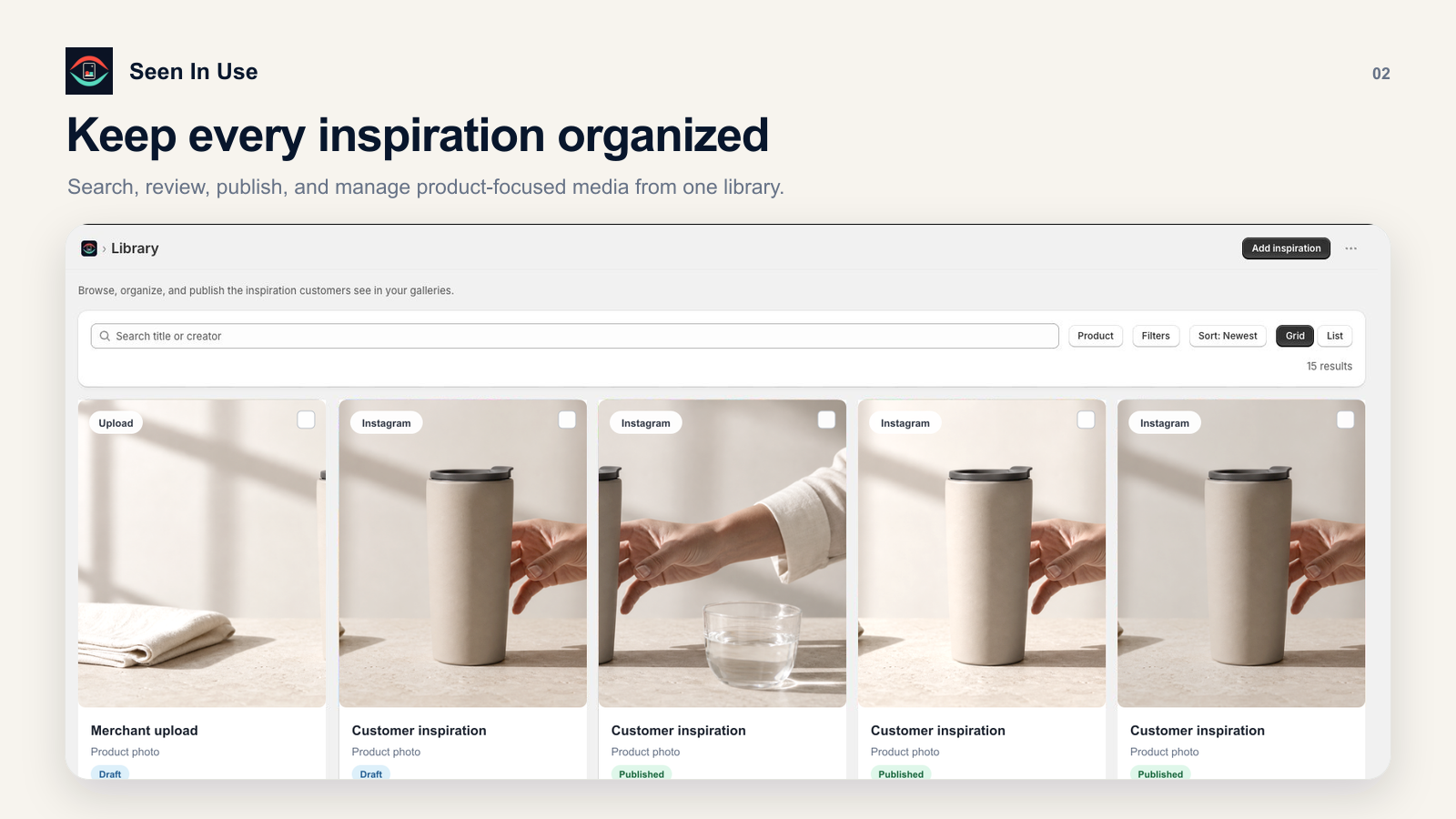
Find, organize, and publish inspiration from one library in Shopify. Select the image for a closer look.
01 / How it works
Build a focused visual story around each product. You choose the source, the product connection, and exactly what appears on your storefront.
Paste a public YouTube or TikTok URL. Pro also supports Instagram and Facebook content.
Assign each inspiration to the Shopify product where it gives shoppers the most useful context.
Review the gallery, choose its order and presentation, then publish it with a Shopify theme app block.
02 / Built for the whole workflow
Organize inspiration around individual products so every gallery is relevant to the page where it appears.
Curate · Order · PublishOn Pro, connect Instagram, Facebook, and TikTok to keep a latest-posts block refreshed automatically.
Pro · Grid or carousel · Up to 12 postsChoose a gallery layout and match it to your brand colors, with a responsive design for your storefront.
Theme app block · Mobile readyUnderstand engagement by product, provider, and creator through consent-aware aggregate reporting.
Engagement · Attribution · Export03 / On your storefront
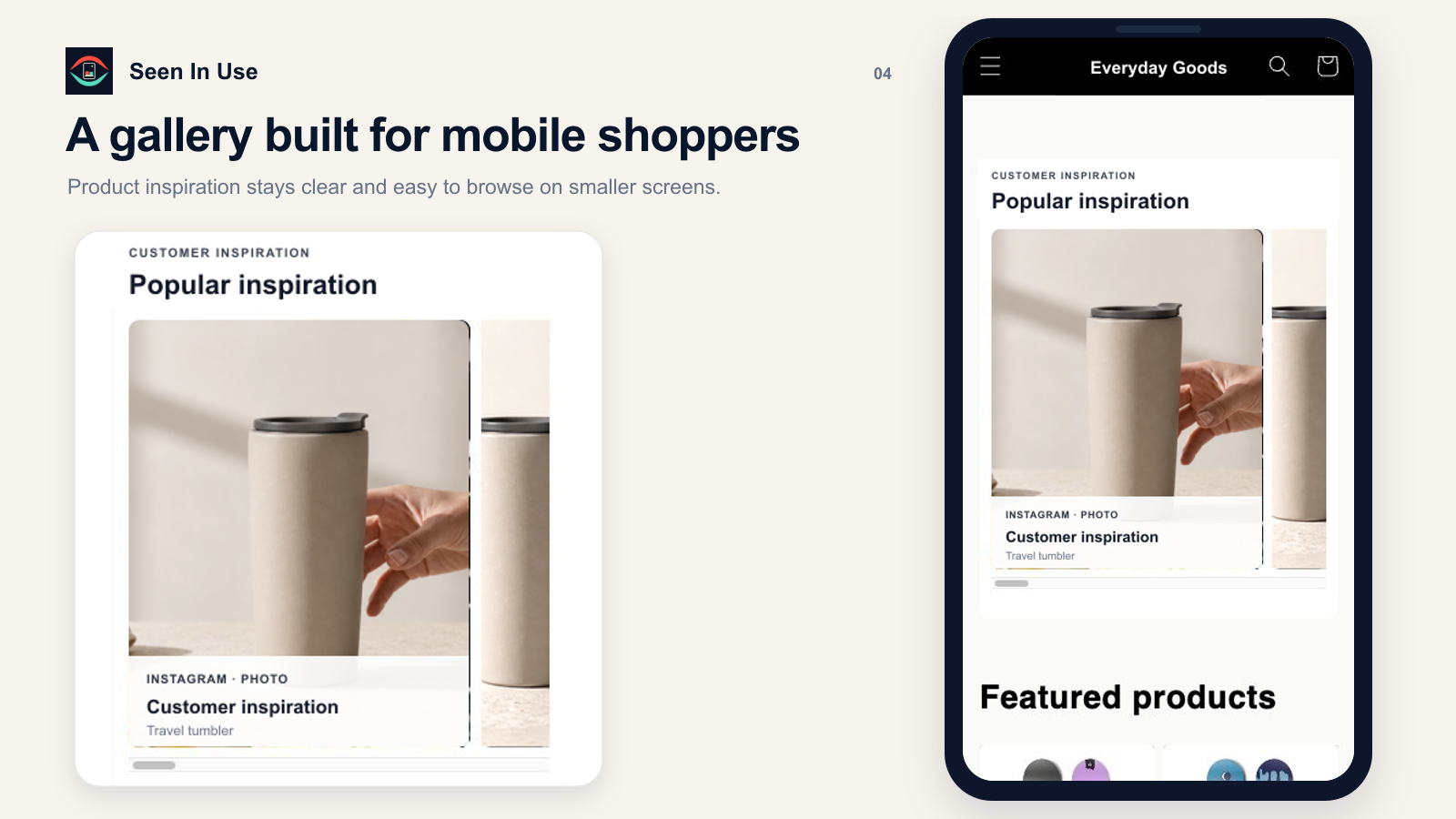
Show how a product looks, works, or comes together. Curated social content adds context that a studio product shot can’t.
Illustrative content from our prepared app listing visuals.
04 / Supported content
05 / Plans
Start building your galleries for free, then move to Pro when you need more room for your content and more ways to customize your storefront.
14-day free trial · $120 annually
Questions, answered
Need help with your particular store?
Ask us about Seen In Use →
You’ll need a Shopify store with an Online Store 2.0 theme, supported public social posts, and the right to use the content. Add inspirations, assign products, and place the app block in your theme.
Free supports YouTube and TikTok posts. Pro adds Instagram and Facebook support, plus connected social feeds. Source availability still depends on the provider and whether the post is publicly accessible.
You curate the product-linked galleries. On Pro, you can also connect social accounts to show their recent posts in a separate feed.
Yes. The Free plan includes galleries on up to 3 products and 15 inspiration items. Pro has a 14-day free trial. Review the current limits in the app before choosing a plan.
Live and available
Put real-world inspiration where it can help: beside the product shoppers are already considering.
Request an install link The public App Store listing URL is being finalized. Request the install link now.